
Select TG-51 Equipment
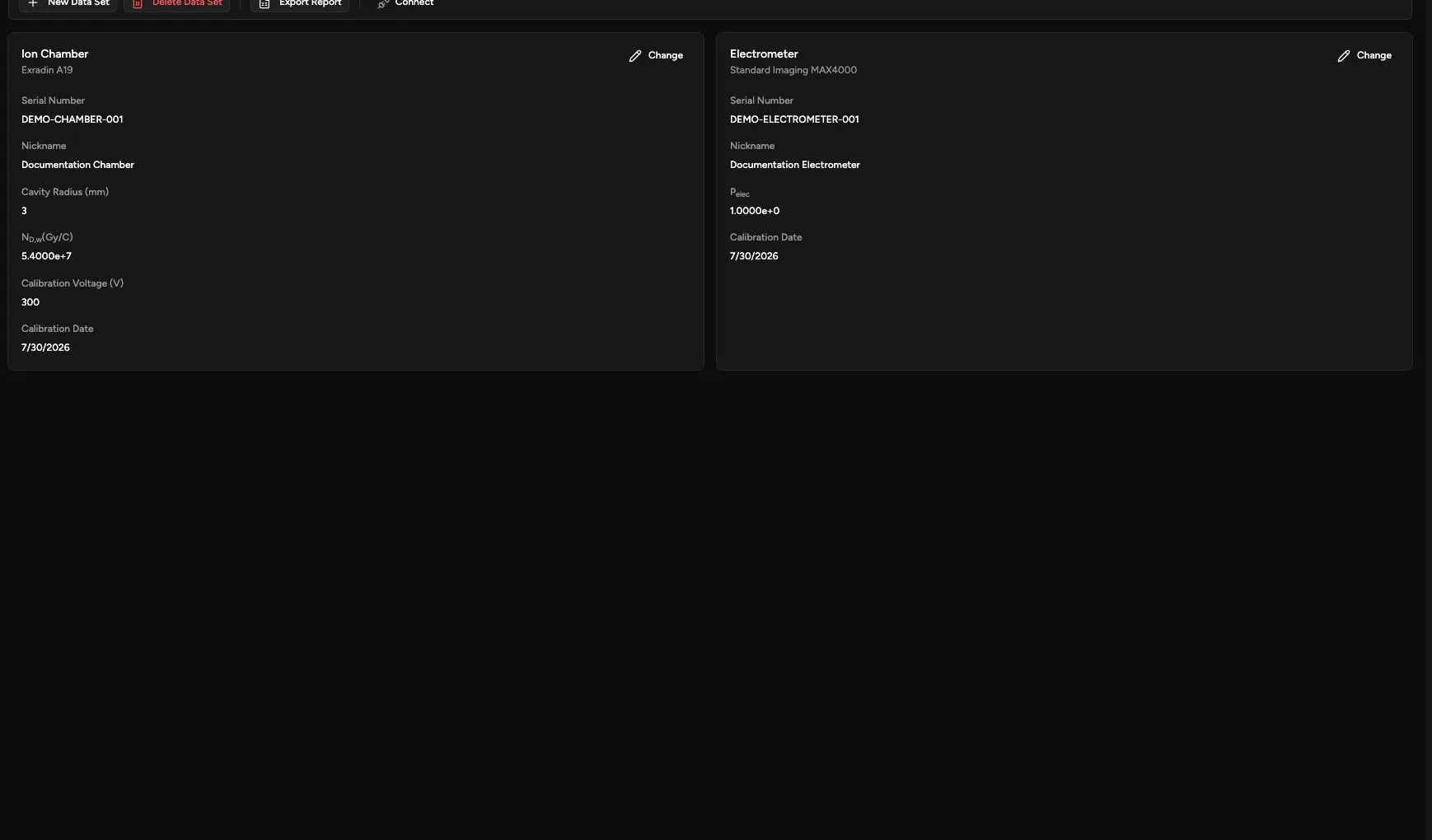
Use Equipment to select the ion chamber and electrometer whose calibration factors apply to the TG-51 record.
Review the Ion Chamber
Section titled “Review the Ion Chamber”Confirm:
- Chamber manufacturer and model
- Serial Number
- Nickname
- Cavity Radius (mm)
- ND,w in Gy/C
- Calibration Voltage (V)
- Calibration Date
Review the Electrometer
Section titled “Review the Electrometer”Confirm:
- Manufacturer and model
- Serial Number
- Nickname
- Pelec
- Calibration Date
Change Equipment
Section titled “Change Equipment”- Open Calibration > TG-51 > Equipment.
- Confirm the selected TG-51 data set.
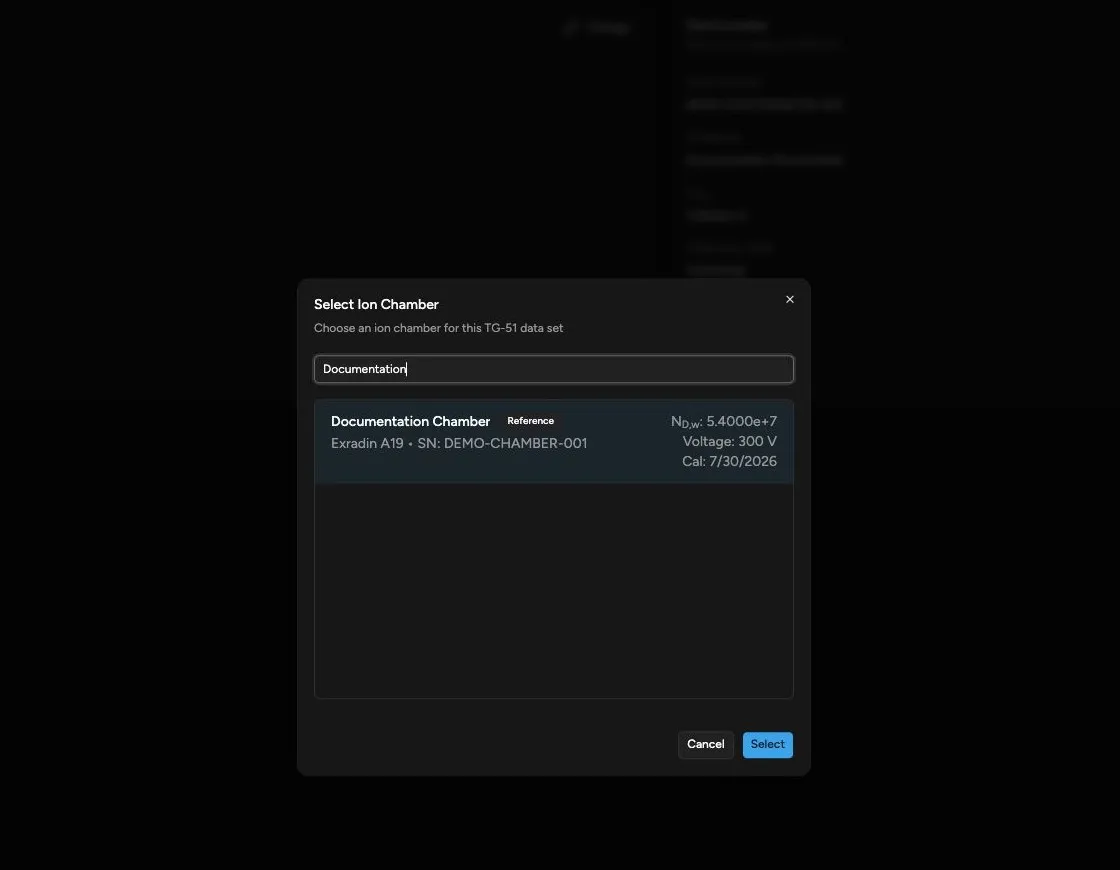
- Click Change on the equipment card.
- Search by name, manufacturer, model, or serial number.
- Select the intended device.
- Confirm that the displayed active calibration is appropriate.
- Review the pending change.
- Click Save.
Saved Equipment Versus Live Connection
Section titled “Saved Equipment Versus Live Connection”The equipment on this page belongs to the TG-51 record. The Connect control in the toolbar creates a live connection for collecting charge readings.
Before collecting readings, confirm that the connected physical electrometer is the same device—or an approved equivalent—that the TG-51 record identifies.
Confirm the Result
Section titled “Confirm the Result”After saving, verify that the expected model, serial number, calibration factor, voltage, and calibration date appear on the equipment cards.
Continue with Record TG-51 Temperature and Pressure.