
Enter Temperature and Pressure
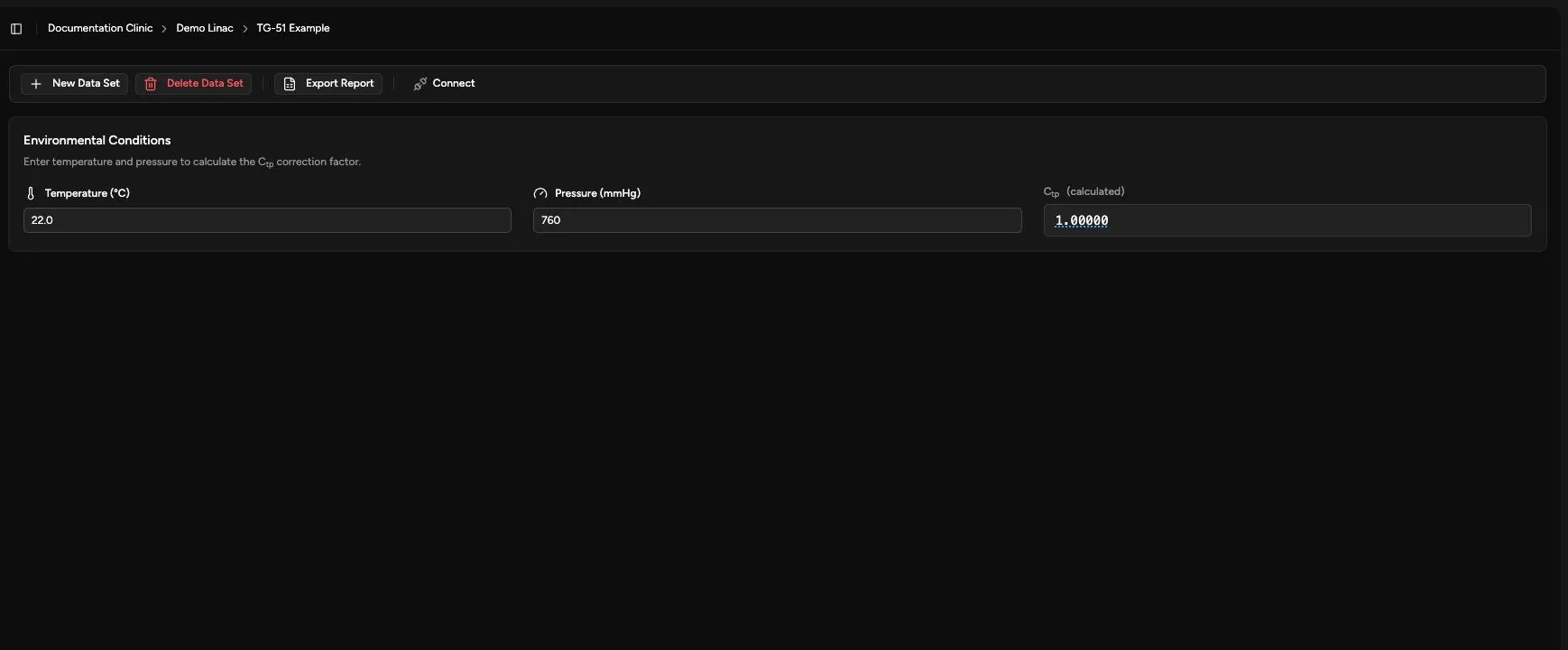
Use Temp / Pressure to record the environmental conditions measured during the calibration. Quadrant uses them to calculate Ctp.
Enter the Measurements
Section titled “Enter the Measurements”- Open Calibration > TG-51 > Temp / Pressure.
- Confirm the selected TG-51 data set.
- Enter Temperature (°C).
- Enter Pressure (mmHg).
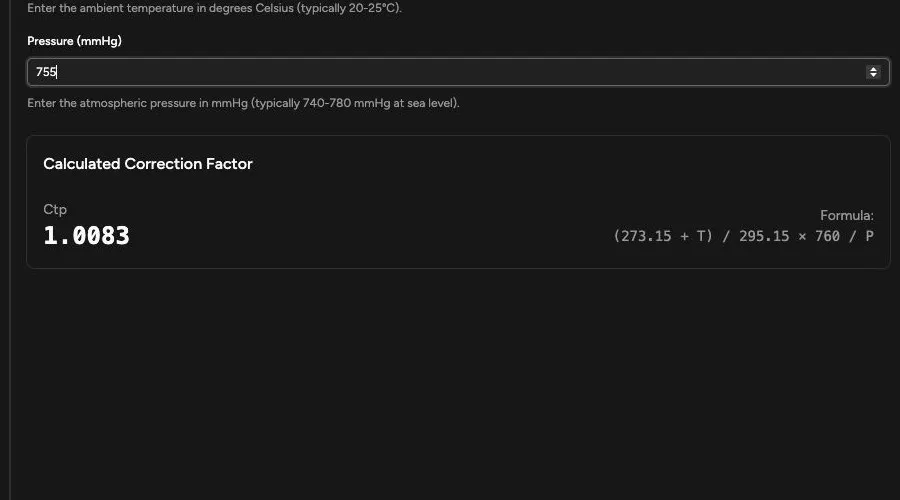
- Review Ctp (calculated).
- Click the calculated value when you want to inspect the equation and substituted values.
- Review the pending changes.
- Click Save.
Correct a Pending Value
Section titled “Correct a Pending Value”When an entered value differs from the saved value, Quadrant shows the previously saved measurement. Click Restore to return that field to the saved value.
Changing either measurement updates Ctp immediately.
Existing Calibrations
Section titled “Existing Calibrations”If the data set already contains calibrations, saving new environmental conditions can open a recalculation preview. Review the affected energies and the old and new results before choosing Recalculate & Save.
Confirm the Result
Section titled “Confirm the Result”After saving:
- The change count disappears.
- The environmental values remain visible.
- Ctp reflects the saved temperature and pressure.
- Any accepted recalculated values appear in the photon or electron tables.
Continue with Set TG-51 Calibration Conditions.