
Export a TG-51 Report
Use Export Report to create a formal output from the selected TG-51 data set.
For a versioned calibration, the PDF and Excel reports use the saved protocol identity, calculation revision, coefficients, inputs, intermediate values, source evidence, and result. They do not recalculate the dose from current chamber-model values. See Understand TG-51 Protocols and Saved Evidence.
Before You Export
Section titled “Before You Export”Confirm:
- The correct institution, linear accelerator, and TG-51 data set are selected.
- Setup values and calibrations are saved.
- Photon and electron rows contain the expected energies and dose results.
- The linac calibration date you will enter is correct.
Generate the Report
Section titled “Generate the Report”- Open any page under Calibration > TG-51.
- Confirm the selected data set.
- Confirm that no pending change count is displayed.
- Click Export Report.
- Select the Linac Calibration Date.
- Select one Report Format.
- Click Generate Report.
- Wait for the download to start.
- Open the downloaded file.
- Compare the report with the saved TG-51 record.
Confirm that the machine, equipment, calibration date, protocol label, energies, equation family, and results match the saved record.
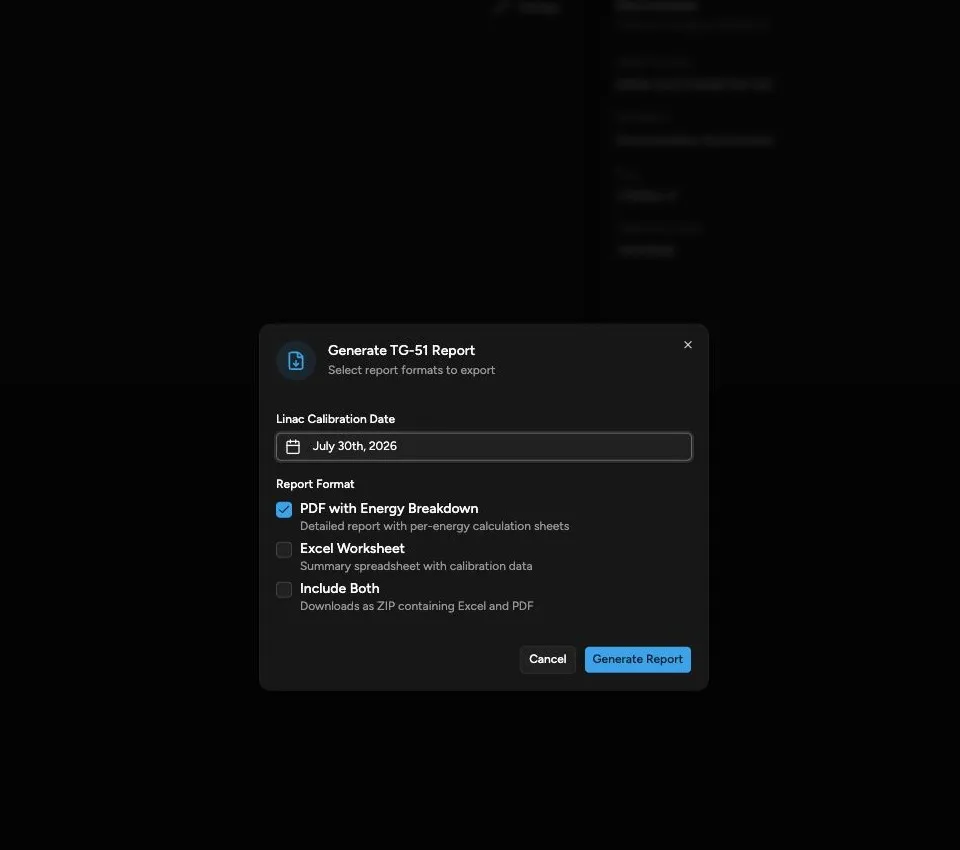
Report Formats
Section titled “Report Formats”| Format | Download | What It Contains |
|---|---|---|
| PDF with Energy Breakdown | TG51_Report.pdf |
A calibration summary followed by a detailed calculation page for each photon and electron energy. |
| Excel Worksheet | TG51_Report.xlsx |
A TG-51 Dose Verification summary followed by a portrait worksheet for each energy. |
| Include Both | TG51_Reports.zip |
The PDF and Excel report together. |
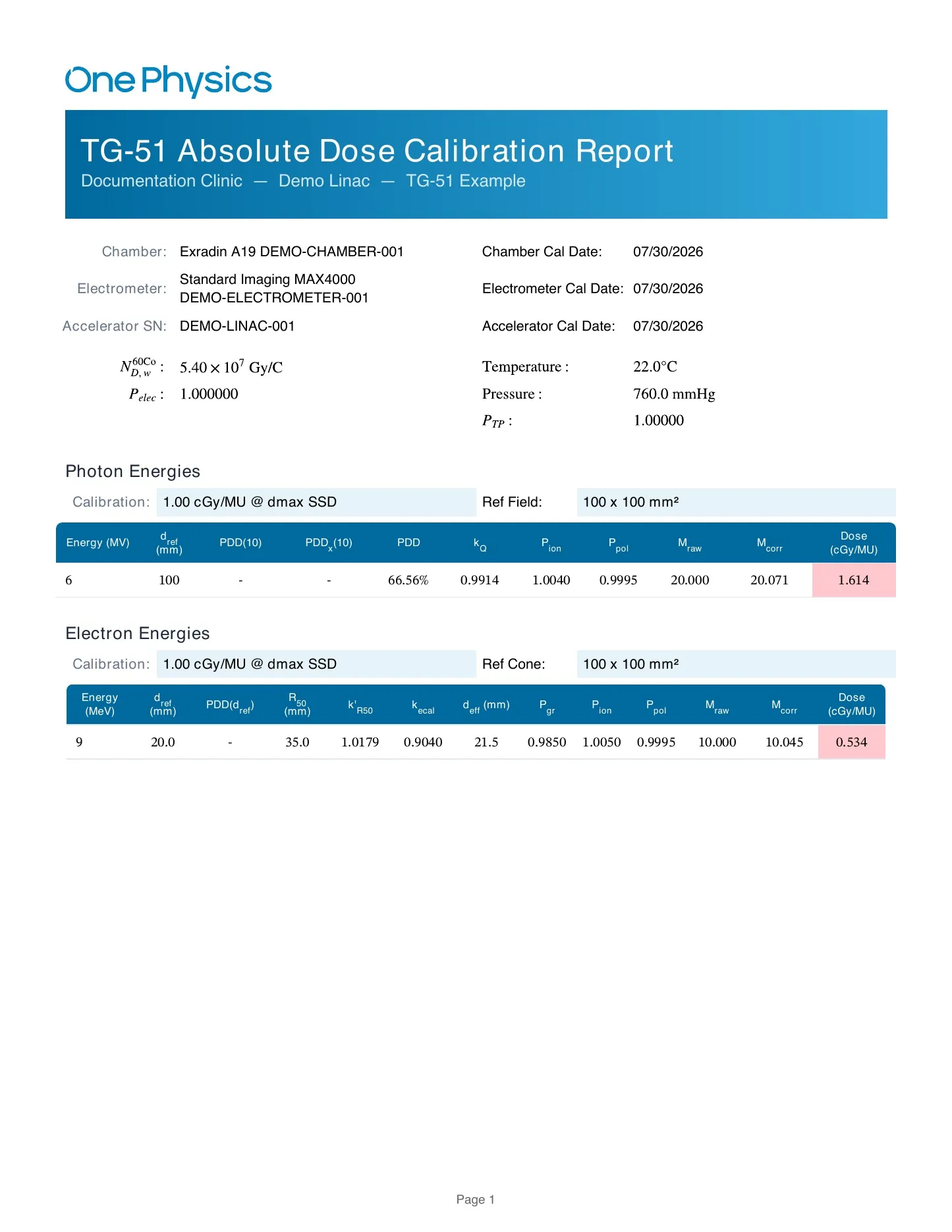
PDF Contents
Section titled “PDF Contents”The PDF summary includes:
- Institution, linear accelerator, and data-set identification
- Chamber and electrometer information
- Calibration and test conditions
- Photon energy results
- Electron energy results
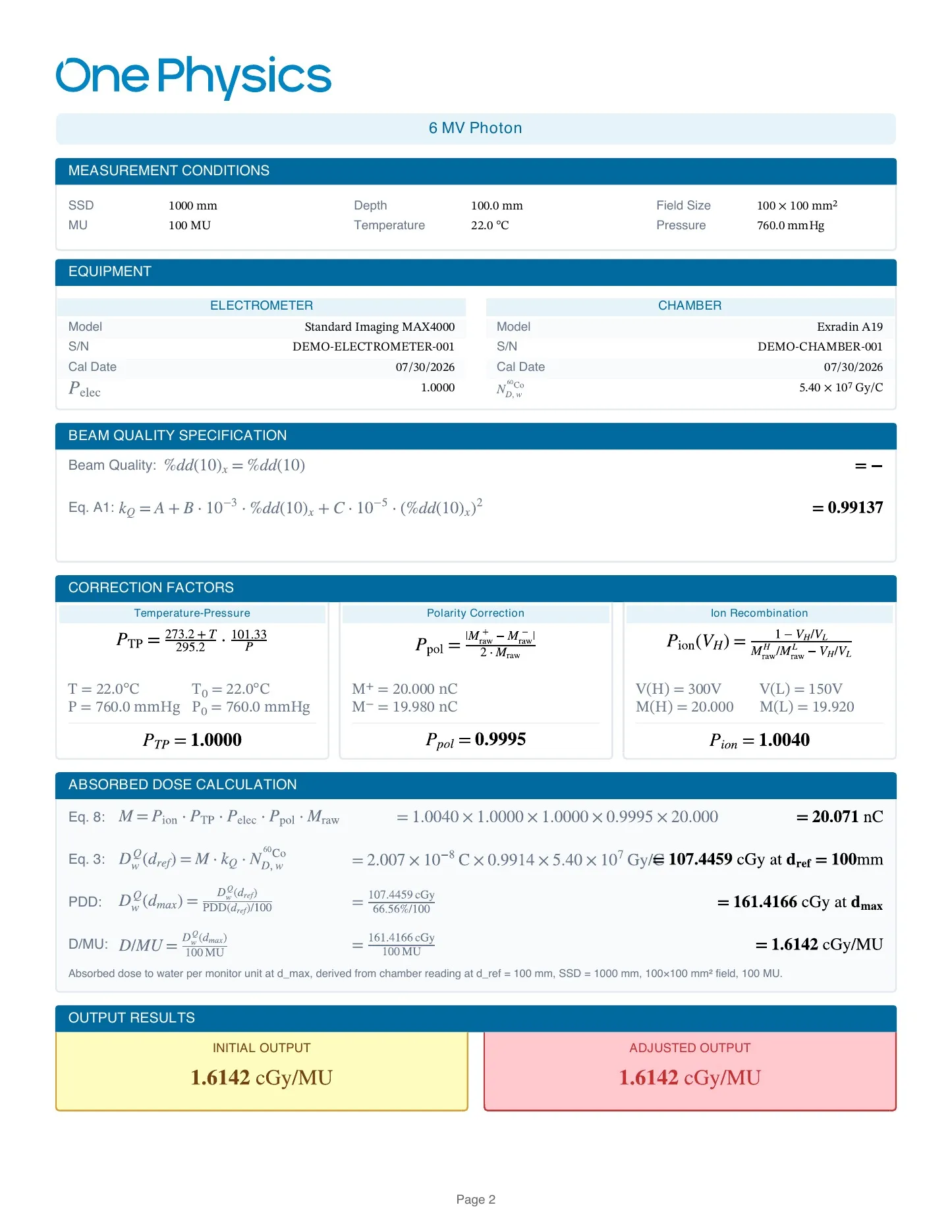
Each energy breakdown can include:
- Measurement conditions
- Equipment
- Beam-quality calculations
- Ctp, Pion, and Ppol
- Photon kQ or electron conversion factors
- Corrected reading
- Dose calculation
- Final dose per monitor unit
Excel Contents
Section titled “Excel Contents”The TG-51 Dose Verification worksheet compares the saved photon and electron results. Each energy has a separate worksheet with its calibration result, reference setup, dosimetry system, beam-quality factors, applied corrections, and saved charge measurements.
TG-51 Report Versus Databook
Section titled “TG-51 Report Versus Databook”The TG-51 report exports the saved absolute-dose calibration record. The TG-51 tab in Data > Databook summarizes parameters derived from scan data. They are related review tools but are not the same report.
If Generation Fails
Section titled “If Generation Fails”Keep the dialog open and read the displayed error. Confirm that the data set is still selected and that it contains the required equipment and calibration values. See TG-51 Troubleshooting if the report still fails.