
Select a TG-51 Reference Data Set
A reference data set lets Quadrant obtain beam-quality and clinical percent depth dose (PDD) values from existing scan data. It is optional because you can enter custom depth-dose or R50 values in the calibration wizard.
For electrons, Quadrant records beam-quality PDD evidence separately from clinical-normalization PDD evidence. One scan can supply both only when its energy, mode, field, and geometry satisfy both roles. See Understand TG-51 Protocols and Saved Evidence.
Understand PDD and TMR
Section titled “Understand PDD and TMR”Percent depth dose (PDD) and tissue-maximum ratio (TMR) are clinical depth-dose quantities. PDD is used for an SSD setup, while TMR is used for an SAD setup. Use the quantity that matches the machine’s clinical setup and verified scan data.
Select Reference Data
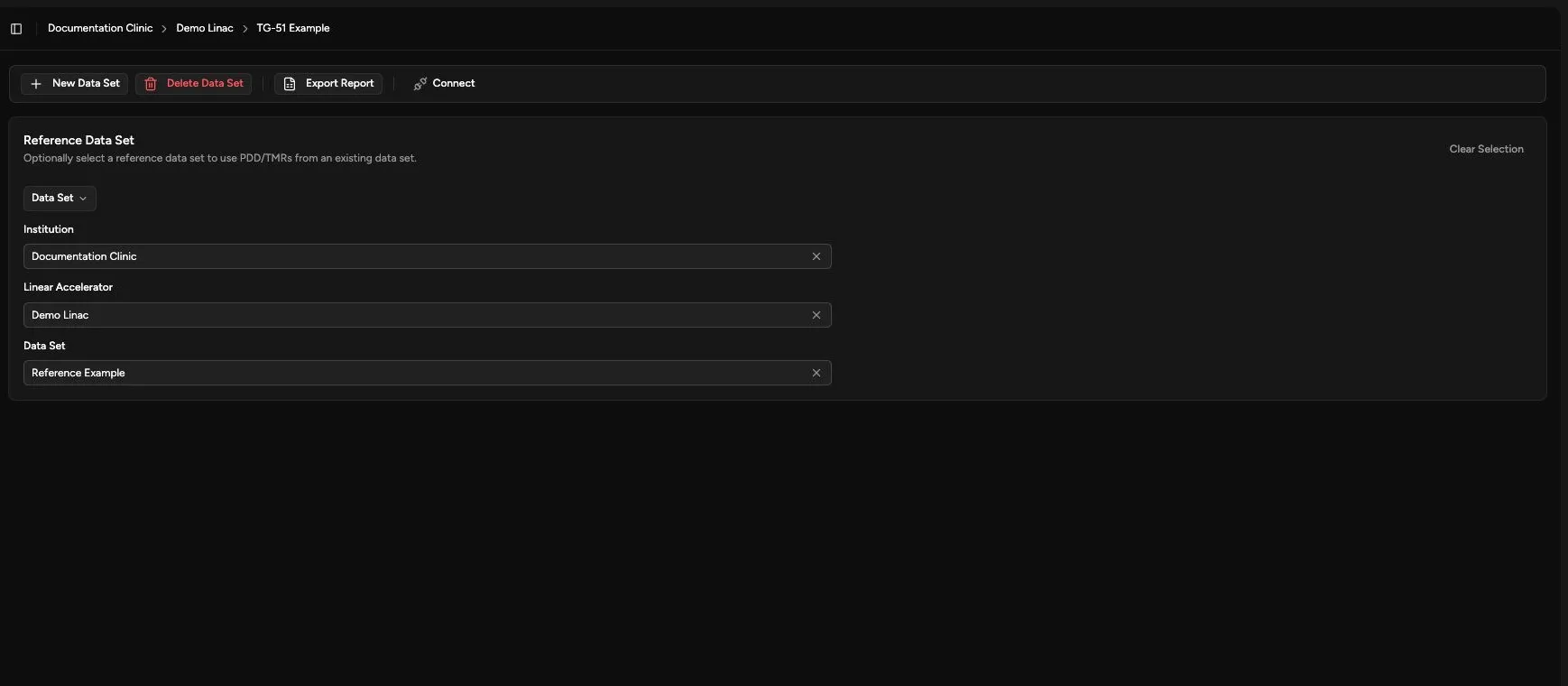
Section titled “Select Reference Data”- Open Calibration > TG-51 > Reference Data Set.
- Confirm the TG-51 data set shown in the header.
- Select the reference institution.
- Select the reference linear accelerator.
- Select the reference data set.
- Review the pending change.
- Click Save.
What Quadrant Uses
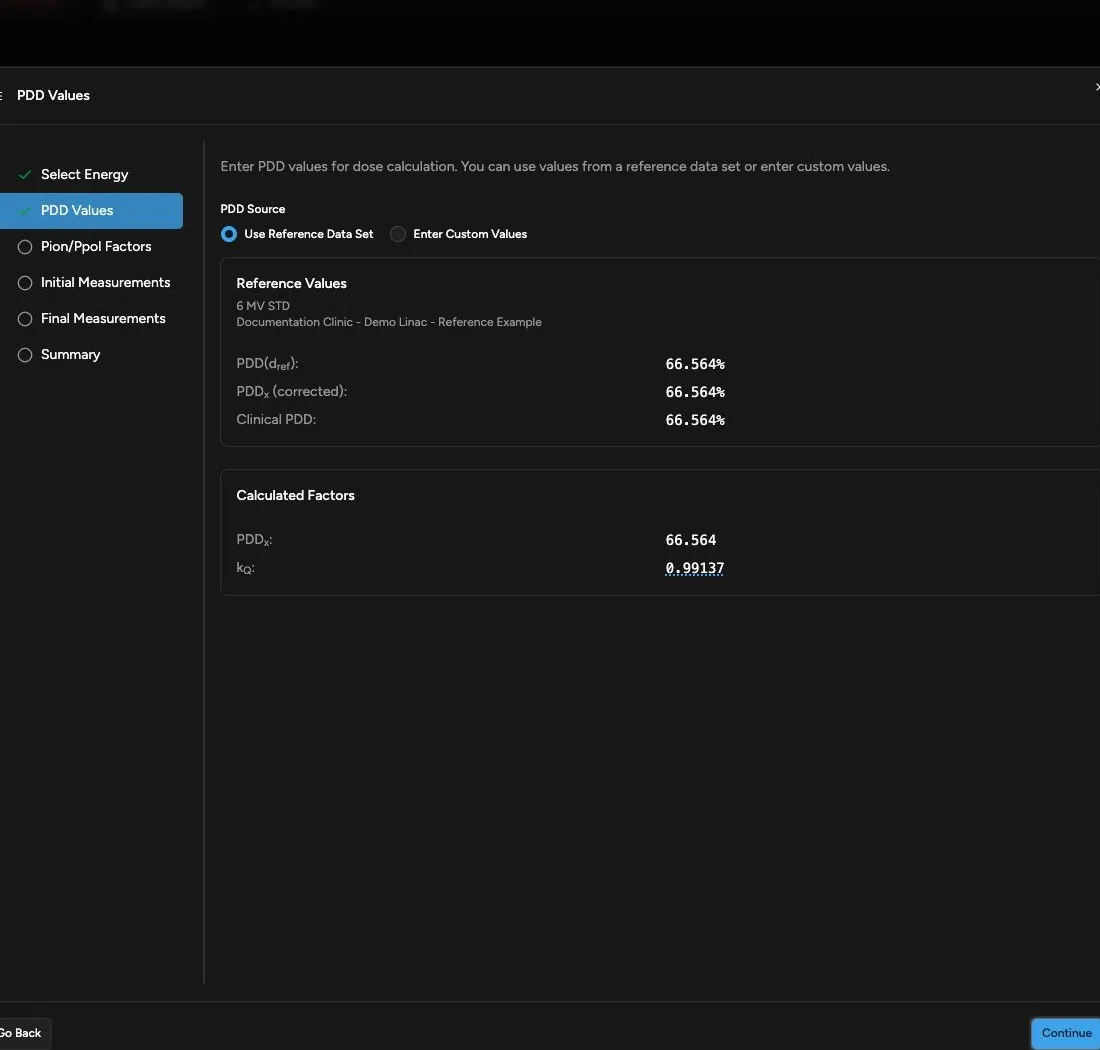
Section titled “What Quadrant Uses”When you add a photon or electron calibration, the PDD Values step can analyze matching depth-dose data for the selected energy and mode.
| Result | What to Do |
|---|---|
| Matching reference data is available | Review the displayed reference values before continuing. |
| No matching energy or mode is available | Choose Enter Custom Values and enter values from the verified source. |
| Reference analysis fails | Confirm the selected data set and scan availability, then use verified custom values if appropriate. |
Electron scan analysis is PDD-only. Quadrant does not perform PDI-to-PDD conversion or detector-position correction during this workflow. Complete any required conversion or correction before import.
For the scan-derived TG-51 summary, see Databook.
Clear or Change the Reference
Section titled “Clear or Change the Reference”Click Clear Selection when the TG-51 record should not use scan-based reference values.
Confirm the Result
Section titled “Confirm the Result”Open a photon or electron calibration wizard and check that Use Reference Data Set shows the intended source and values. Cancel the wizard if you are only confirming the reference.
Continue with Add a Photon TG-51 Calibration. For an electron-only data set, continue with Add an Electron TG-51 Calibration.