
Review and Save TG-51 Changes
Review shared TG-51 changes before saving so that every affected energy keeps a traceable calculation history.
Changes made on Data Set Details, Equipment, Temp / Pressure, Calibration Conditions, or Reference Data Set remain pending until you save, restore, or discard them.
Shared Toolbar
Section titled “Shared Toolbar”| Control | What It Does |
|---|---|
| New Data Set | Opens the complete data-set creation wizard. |
| Delete Data Set | Removes an unlocked, empty data-set container after confirmation. Containers with calculation history cannot be deleted. |
| Export Report | Generates a PDF, Excel worksheet, or both for the selected data set. |
| Connect | Opens the live electrometer connection dialog. |
| Change count | Opens a summary of pending changes. |
| Discard | Restores the last saved data-set values. |
| Save | Saves pending values and starts any required recalculation workflow. |
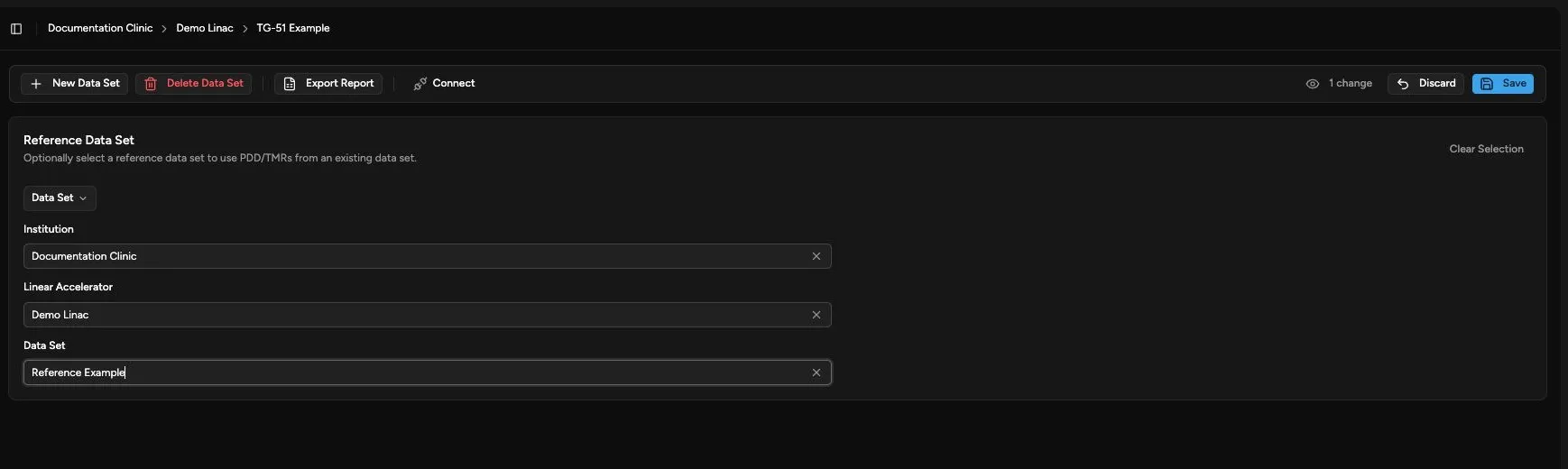
Review Before Saving
Section titled “Review Before Saving”- Click the change count.
- Review the old and new values.
- Return to the affected page if a value is incorrect.
- Click Restore beside an individual field when you want its last saved value.
- Click Save only after all pending values are correct.
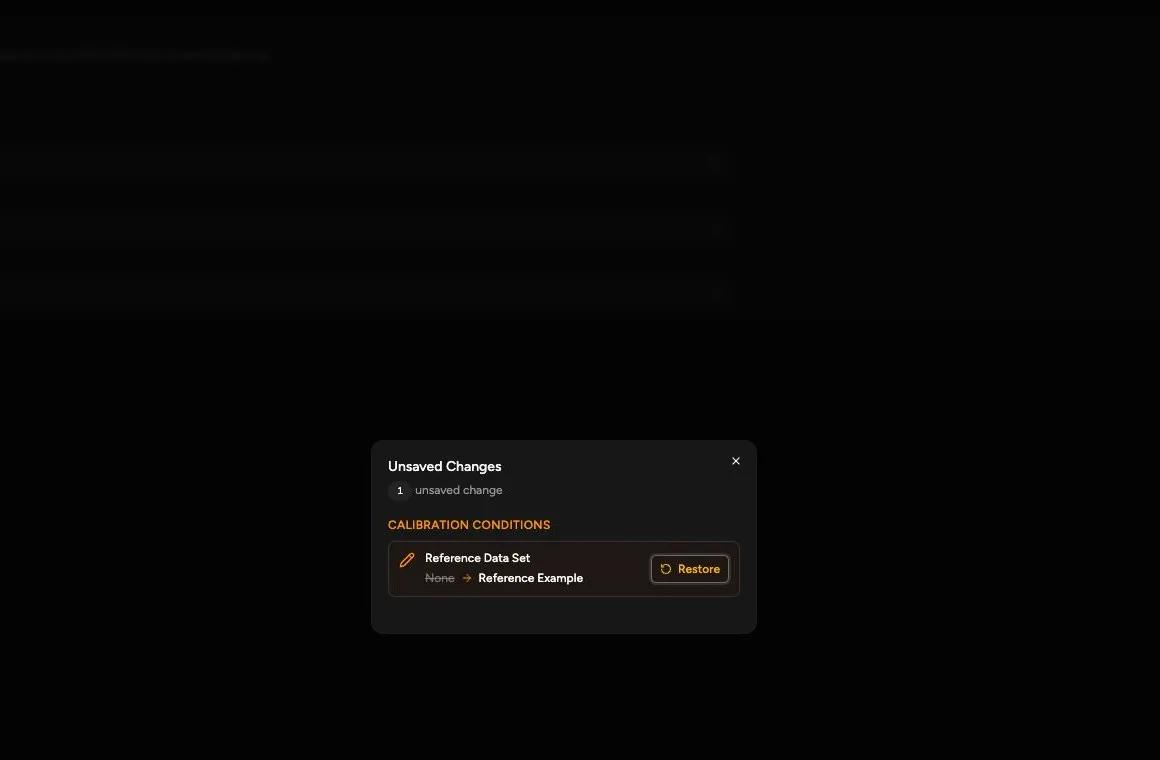
Confirm the Save
Section titled “Confirm the Save”After the save and any required recalculation finish:
- Verify that the change count and Save and Discard controls disappear.
- Verify that the saved values remain displayed on the affected page.
- If you accepted a recalculation, verify that every affected photon or electron row matches the preview.
- Open Show revision history on an affected row to confirm that the new saved version and previous versions remain available.
Changes That Affect Calibrations
Section titled “Changes That Affect Calibrations”Temperature, pressure, equipment, reference conditions, and reference PDD data can affect calculated values. When a shared change affects saved calibrations, Quadrant opens Changes Affect Existing Calibrations.
- Review the proposed shared changes.
- Review the recalculated values and any blocking problems for every affected energy.
- Complete the requested replacement factors or measurement evidence for each blocked calibration.
- Click Save All Recalculations only when every affected calibration is ready.
If you cannot resolve a problem, click Cancel to leave the shared change unsaved. Save All Recalculations is disabled while any affected calibration remains blocked. You cannot save only the ready energies.
An ion chamber change requires evidence appropriate to the proposed chamber. Do not reuse measurements acquired with a different physical chamber when the dialog requests replacement evidence.
Saving creates a new read-only version for each affected energy and preserves previous versions in revision history. This save does not skip or retire any energy.
For a reproducible modern calibration, shared recalculation retains the saved protocol and uses its full-precision evidence. Changing that calculation’s protocol requires a separate protocol-change operation.
An unlocked imported calibration follows a different path when you establish a new calculation from its older evidence. That new calculation uses the selected data-set protocol default, which can differ from the imported protocol. Confirm the intended protocol under Calibration Conditions before saving. Complete the requested Imported calculation inputs and any protocol-specific evidence in the dialog. The imported version remains unchanged in history. This does not unlock or recalculate a locked historical record in place.
See Understand TG-51 Protocols and Saved Evidence for saved-version and locked-record protection.
Unsaved Changes and Calibration Editing
Section titled “Unsaved Changes and Calibration Editing”Resolve pending setup changes before starting a new photon or electron calibration, revising measurements, or retiring an active calibration.
- Return to the setup page with the pending change.
- Click Save or Discard.
- Return to Calibrations.
- Start the calibration action again.
Retire an Active Calibration
Section titled “Retire an Active Calibration”Retirement removes a calibration from the active table without deleting its saved calculation history. Use it when an energy should no longer be active, not to bypass a blocked shared recalculation.
Save or discard setup changes before starting. Save or restore pending retirements before changing shared settings.
- Open Calibrations.
- Select the intended energy row.
- Click Retire.
- Click the change count to review Pending Retirements.
- Click Save to apply the retirement.
Before saving, use Restore in the change summary to undo an individual pending retirement, or Discard to undo all pending retirements. Nothing is retired until the save succeeds.
After saving, confirm that the energy is absent from the active table. Open Retired calculations, then View revision history, to review the retained calculation evidence.
Delete an Empty Data Set
Section titled “Delete an Empty Data Set”Delete Data Set can remove only an unlocked container with no calculation history. Retiring all active energies does not make a container deletable: retired calculation history must also be retained.
- Confirm the selected institution, machine, and empty data-set name.
- Click Delete Data Set in the shared toolbar.
- Review the empty-container warning in the confirmation dialog.
- Click Delete Data Set to confirm, or Cancel to keep the container.
After a successful deletion, confirm that the container is no longer available in the data-set selector. If Quadrant reports retained calculation history, keep the data set and retire active calibrations instead.
Locked Historical Records
Section titled “Locked Historical Records”A locked record displays Historical record (read-only) and an audit-preservation banner. You can review and export it, but you cannot modify or delete it.
Locked historical values may not contain enough precision to reproduce the saved dose. Quadrant does not unlock or recalculate the record in place. A protocol change creates a separate linked calculation context and requires full-precision evidence.
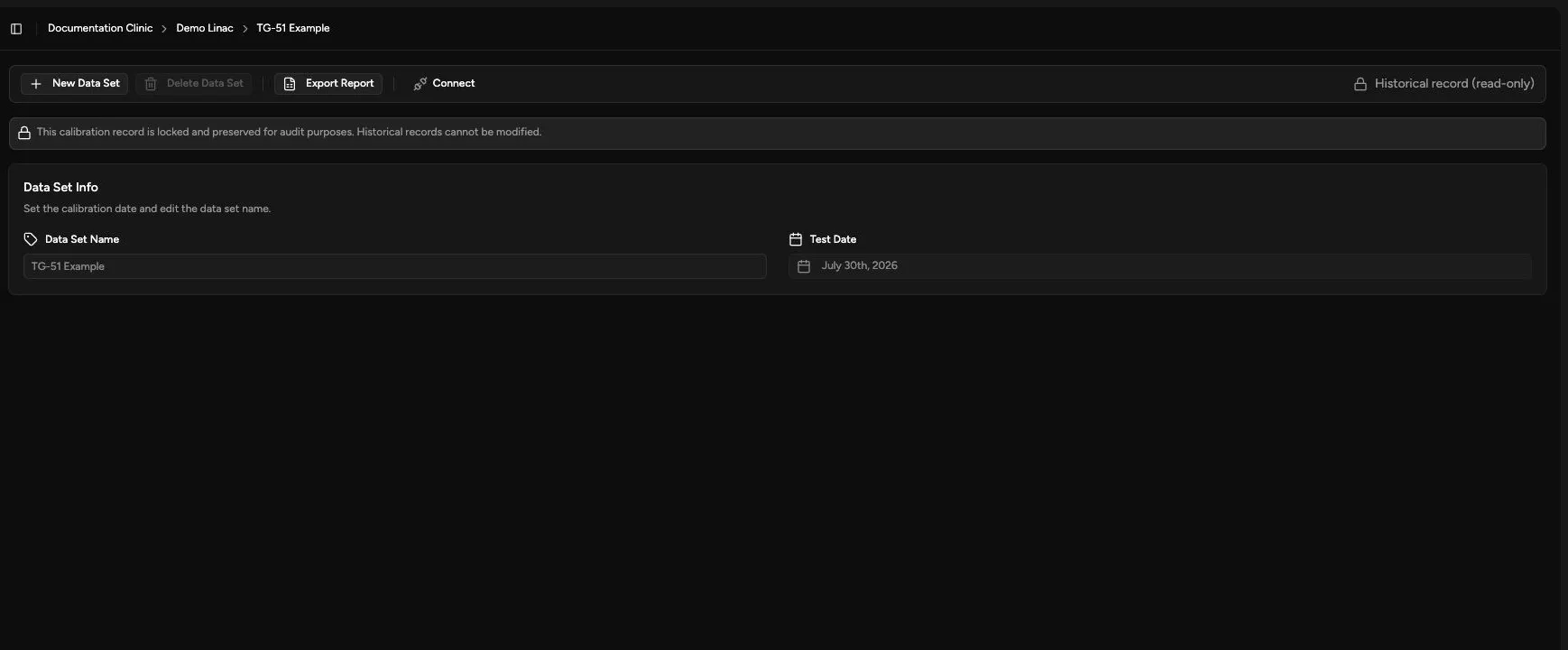
Continue with Export a TG-51 Report to review the saved results outside Quadrant.